Explore org-wide reports and track participation across communities and cohorts
Understand organization report types
In the top right corner, click your Settings
In the left sidebar under Admin Tools, click Reports
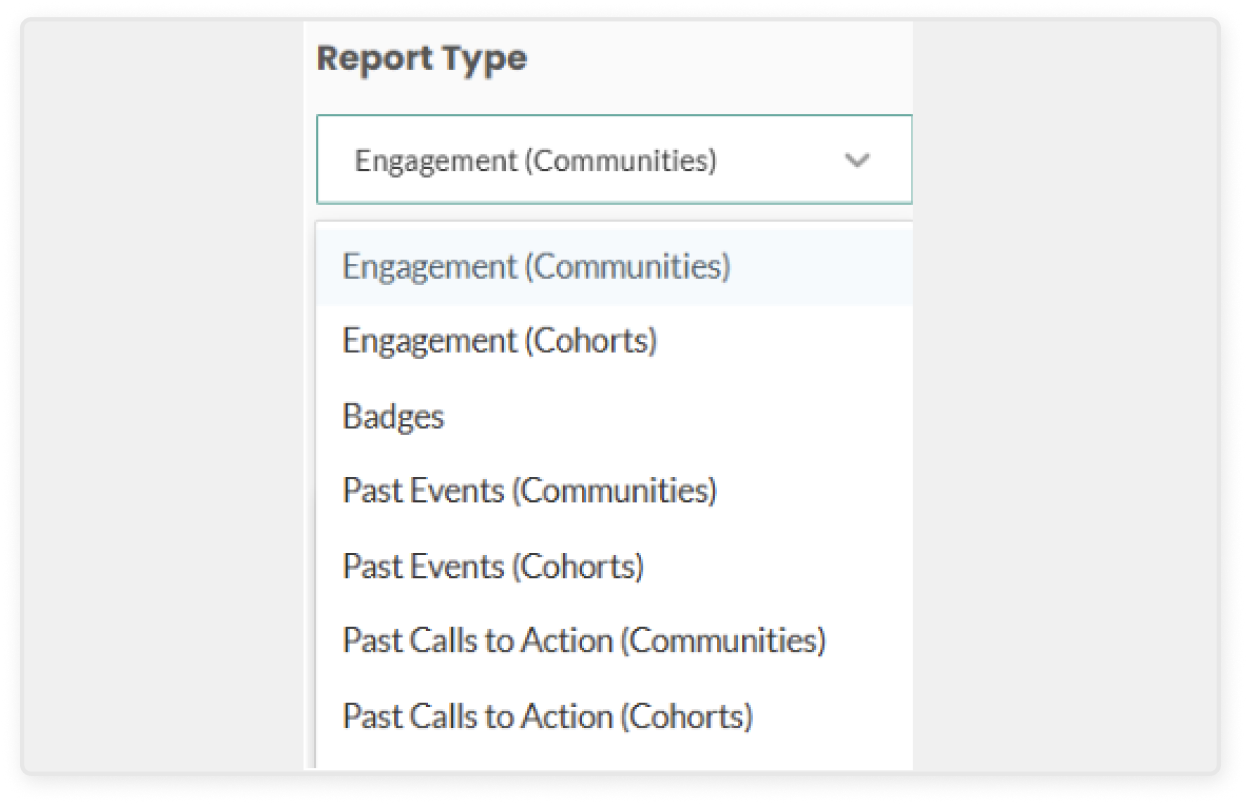
In the Report Type drop down, select the type of report you’d like to view
Engagement (Communities) provides a list of all subscribers across all communities, and their activity (number of events attended, calls to action completed, etc.)
Engagement (Cohorts) provides the same information as above, but for private cohorts.
Badges provides a list of all users and the engagement badges they have earned. You can use this information to identify the changemakers in your organization, so that you can tap into their passion and contributions to building a culture of belonging.
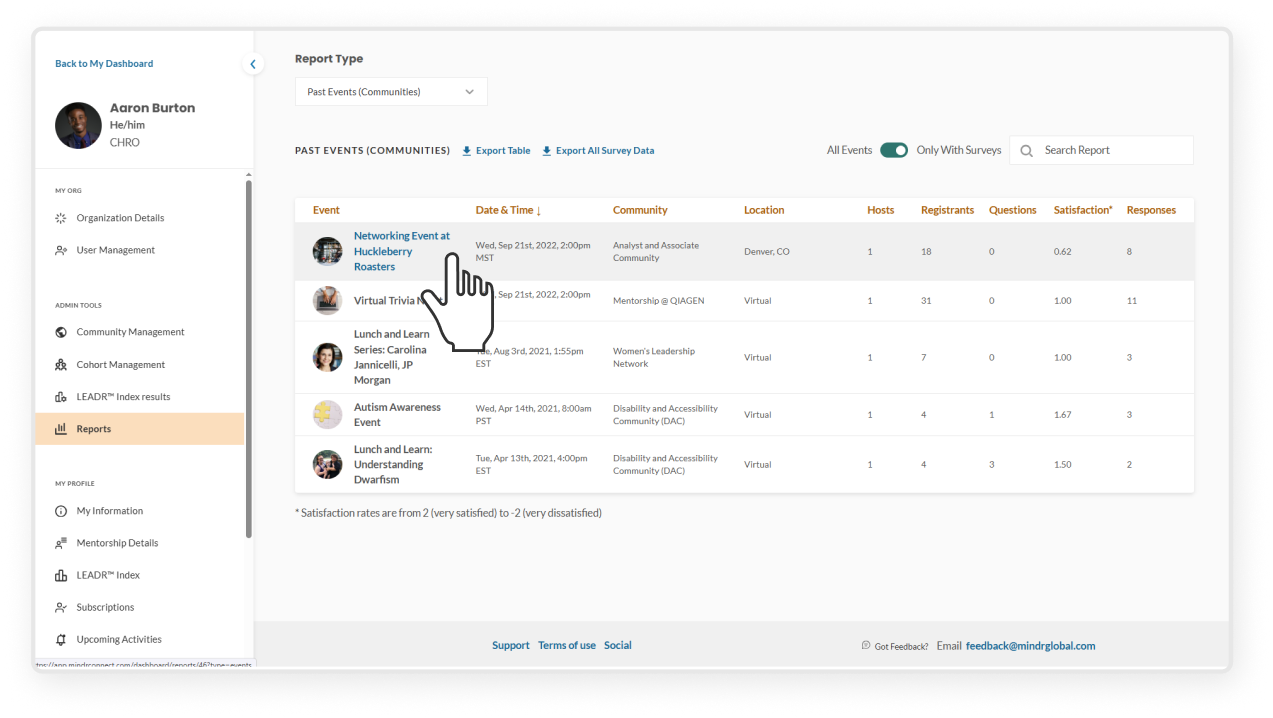
Past events (Communities) provides a list of past events hosted across all communities, including number of registrants, pre-submitted questions, and survey responses. This report can be filtered to include all events, or those just with survey responses.
Past events (Cohorts) provides the same information as above, but for events hosted within private cohorts
Past calls to action (Communities) provides a list of all previously published CTAs, including number of users who have marked the CTA as “completed”
Past calls to action (Cohorts) provides the same information as above but for CTAs published within private cohorts
View event reports across all communities
In the top right corner, click your Settings
In the left sidebar under Admin Tools, click Reports
In the Report Type drop down, select the Past Events report type
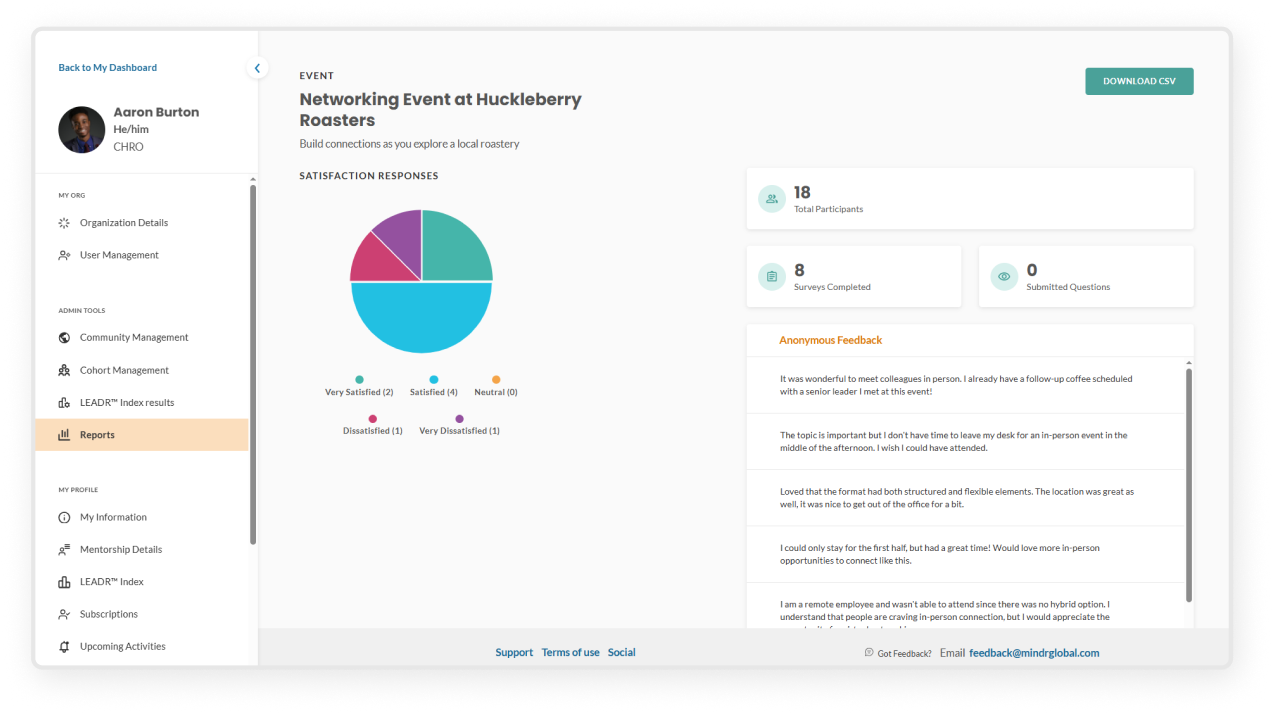
You can click into individual events to see specific feedback, including satisfaction rates, comments from attendees, and questions submitted in advance.
NOTE: For data security purposes, by default reports cannot be exported. If your organization has agreed to additional data privacy terms, the export feature may be enabled. Please reach out to your main Organization Admin or the Mindr team with any questions.
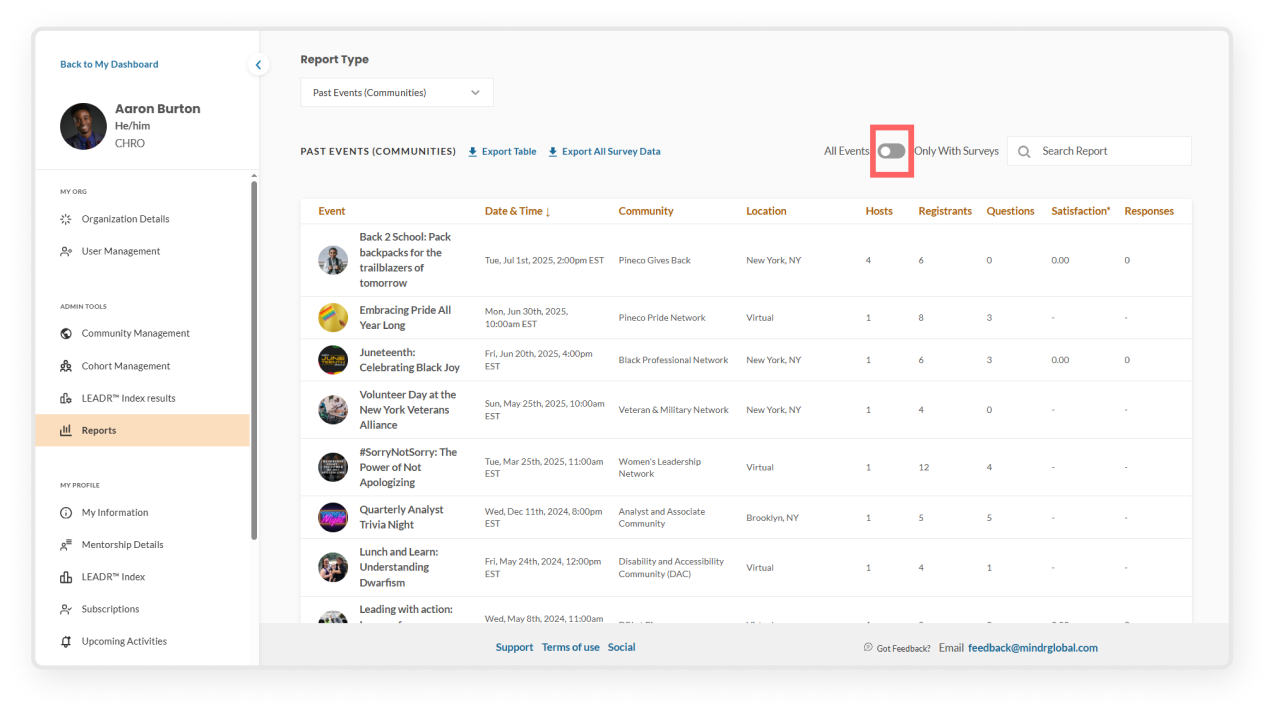
By default, the Past Events report only shows events with surveys. Use the toggle to show all past events, including those without surveys, to access the rest of the event reports.