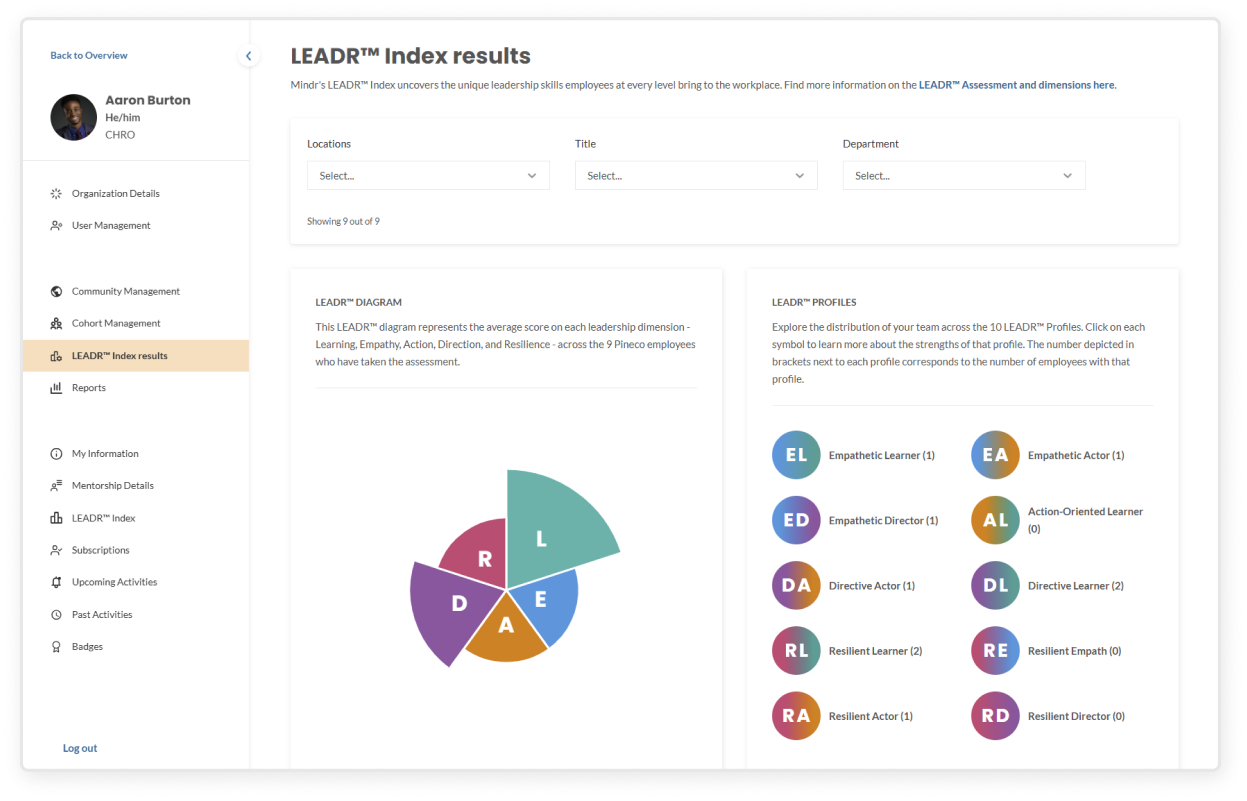
If enabled by your organization, you can view the results of users who have taken Mindr’s LEADR™ Assessment
- In the top right corner, click Settings
- On the left sidebar under Admin Tools, click LEADR™ Index Results
- You can filter the diagram and profiles by selecting one or more locations, titles, or departments. The LEADR™ diagram and profiles will update based on your selections.
- LEADR™ diagram shows the average score for each leadership dimension at your organization. Hover over any pie slice to see how many employees have that leadership dimension in their top two strengths.
- LEADR™ Profiles on the right show how many employees fall into each leadership profile after taking the assessment. Click on a profile icon to learn more about the strengths of that profile.
- Read LEADR Index page to learn more about the framework, assessment, and profiles.