Learn how to subscribe, invite colleagues, and stay involved in your communities
Subscribe to a community
Log into Mindr Connect using your Single Sign On provider
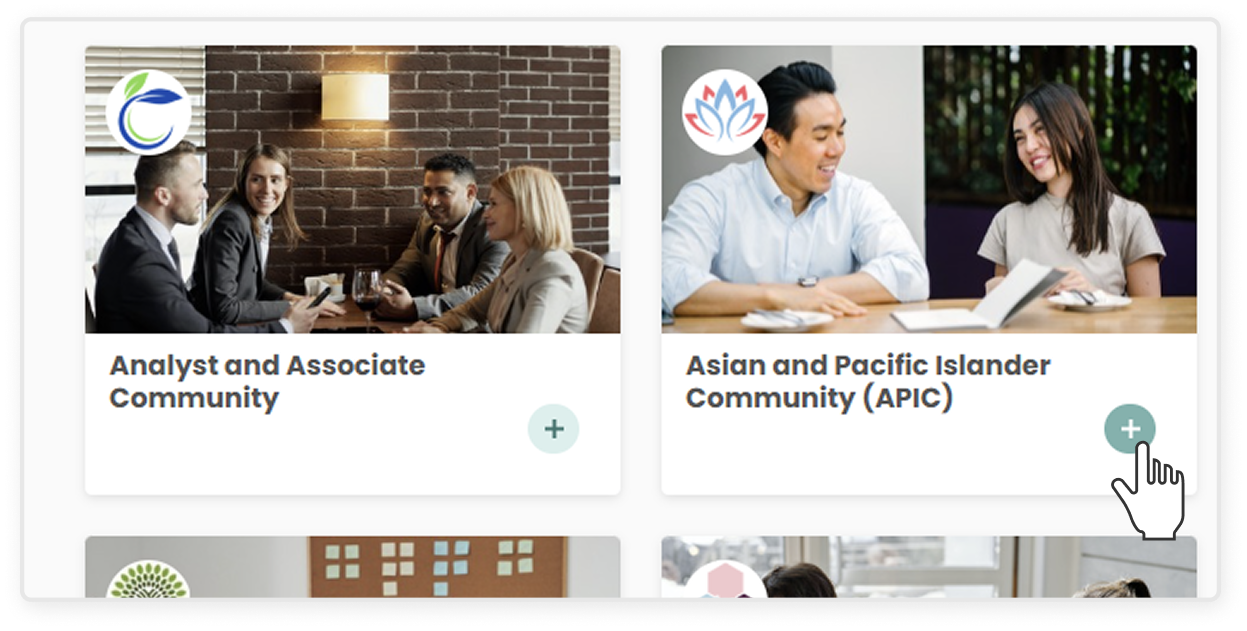
From the community dashboard, click the green “+”button on the bottom right corner of any community’s tile
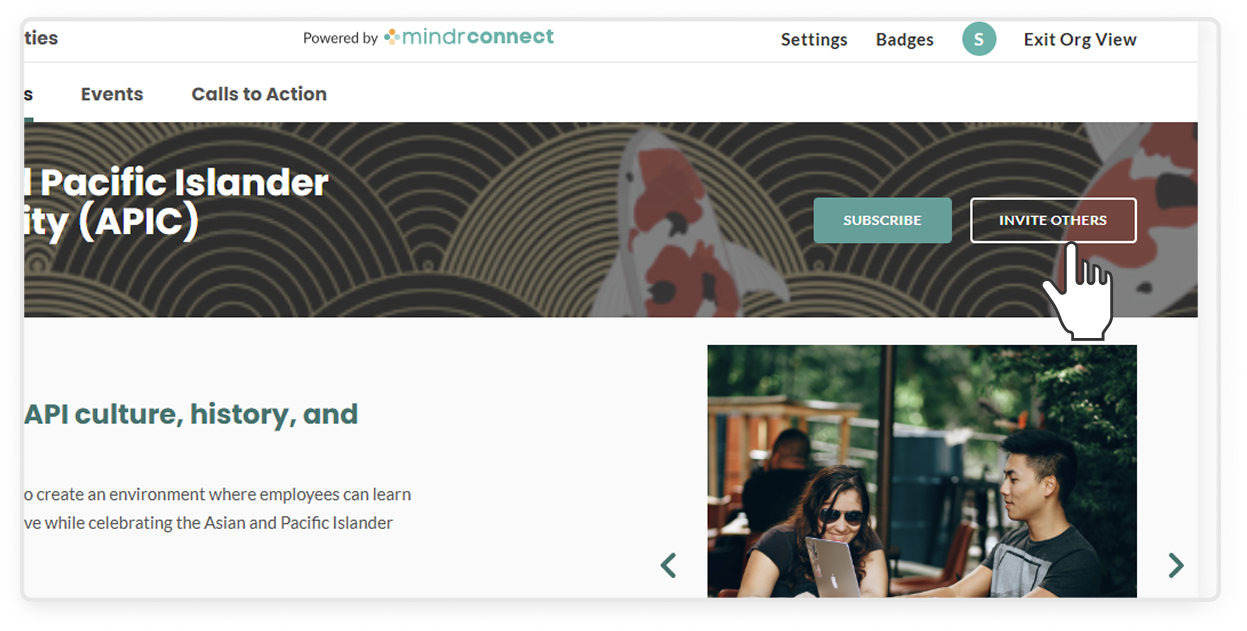
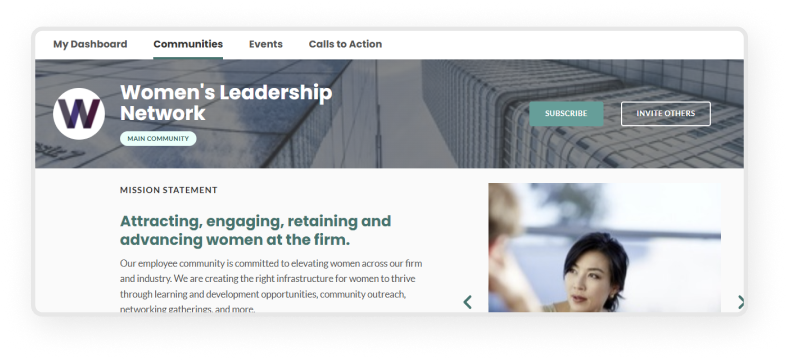
From a specific community’s page, click the green Subscribe button in the top right corner
Invite colleagues to subscribe to a community
On the main dashboard, select your employee community, or click into Communities on the top menu
In the top right corner of the banner, click the transparent Invite Others button
In the text box, begin typing your colleague's name or email
Select your colleague's auto-populated profile
Add as many colleagues as you would like
Click the green Submit button, and an invitation will be sent to their email inbox
Interact within a community
Once you're part of a community, here’s what you can do to get involved:
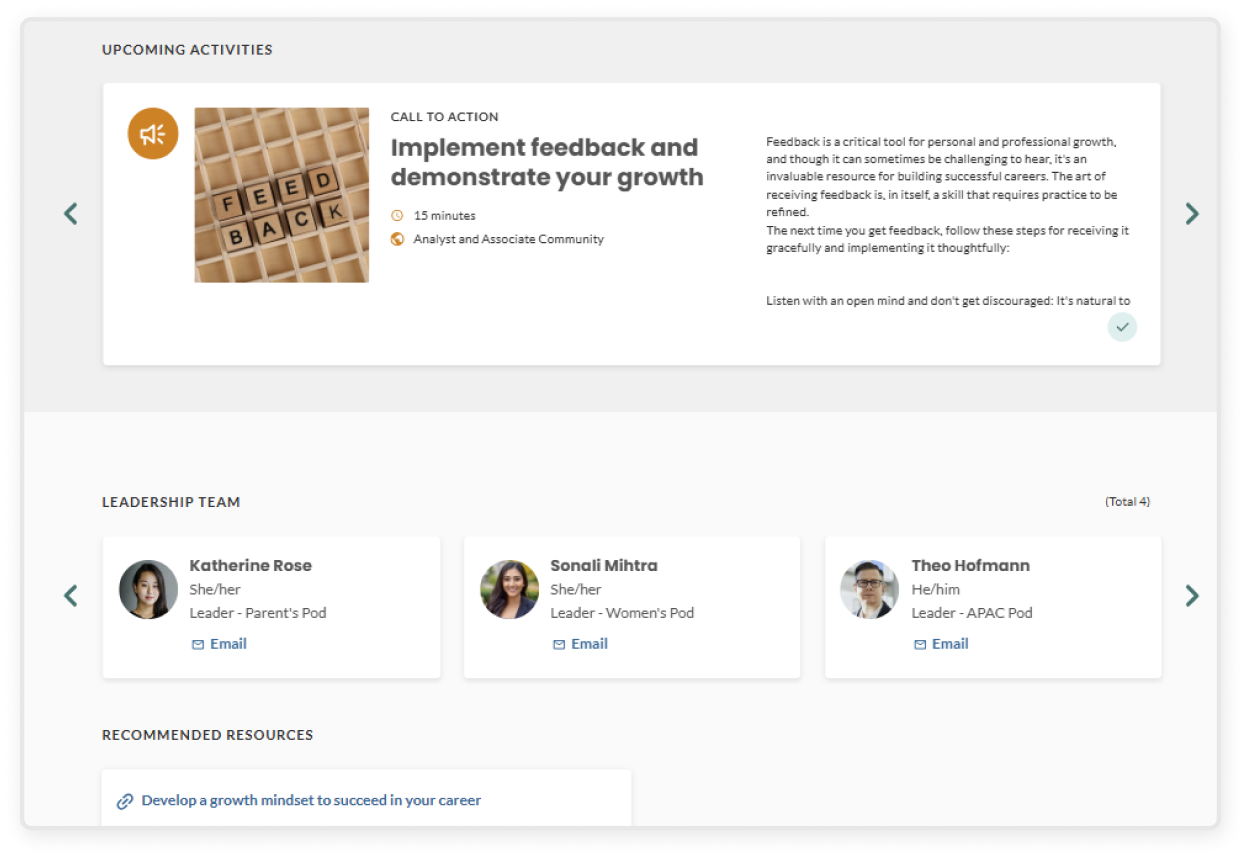
Attend events – Check out and register for events hosted by the community
Complete calls to action – Stay involved by exploring resources asynchronously
Get to know the leadership team – Reach out to the leaders with questions or ideas
View recommended resources – Browse helpful links or materials shared with the community
Subscribing to a chapter or main community
Joining a chapter
Users can join a chapter from the user dashboard or via an email invite:
On the user dashboard, find the chapter card and click the + button, or click Subscribe
Once subscribed, you'll automatically be subscribed to the main community as well. A banner on the confirmation modal will let you know
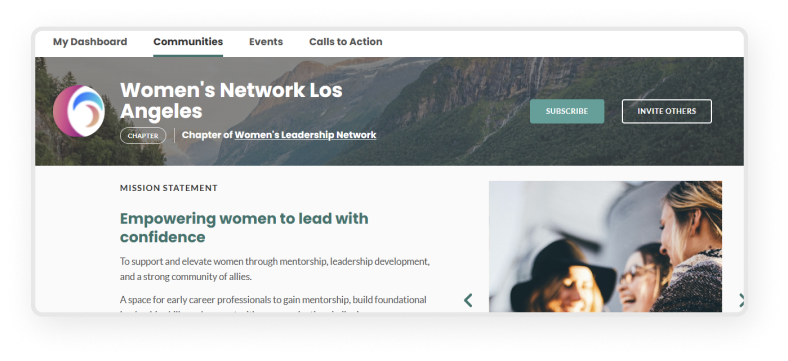
Click into the chapter page to view its details. At the top of the page you'll see a "Chapter” label along with the Chapter of [Main Community Name] – the main community name is clickable.
Joining a main community
Users can join a chapter from the user dashboard or via an email invite:
On the user dashboard, find the main community card and click the + button, or click Subscribe
On the detail page, click Subscribe. You'll also see a “Main community” label at the top of the page
Note: The Main community label only appears if the community has chapters
Once subscribed, the confirmation modal will give you the option to one-click subscribe to any chapters under that main community as well
Manage subscriptions and notifications
In the top right corner, click your profile icon (or the first letter of your name if you have not uploaded a photo)
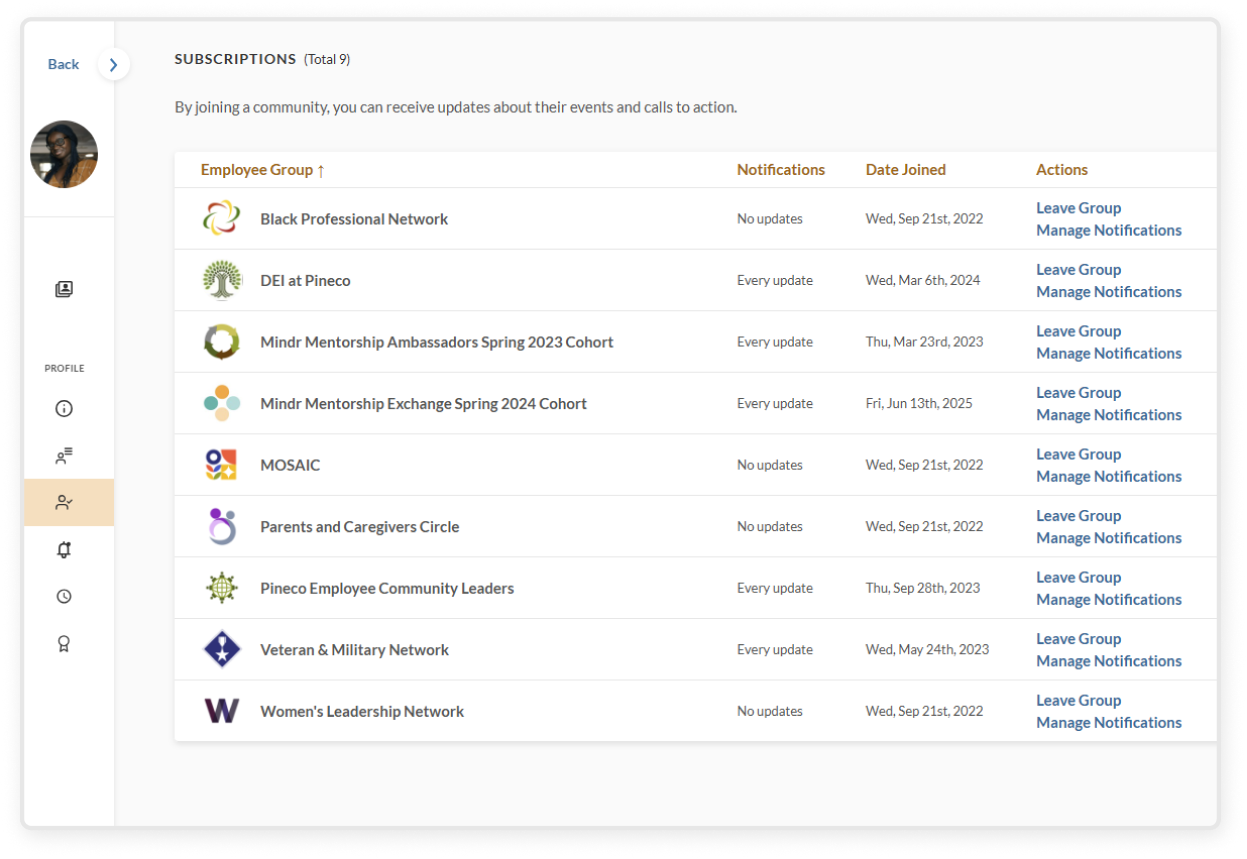
On this Subscriptions page, you will see a list of all of the communities you are subscribed to
Opt out of emails by clicking Manage notifications
Click the green toggle to turn email notifications off
Unsubscribe from communities by clicking Leave group
In the confirmation popup, click the Leave button to confirm