Register for events, complete calls to action, and subscribe to communities on behalf of an executive
Act either on your own behalf or the executive’s
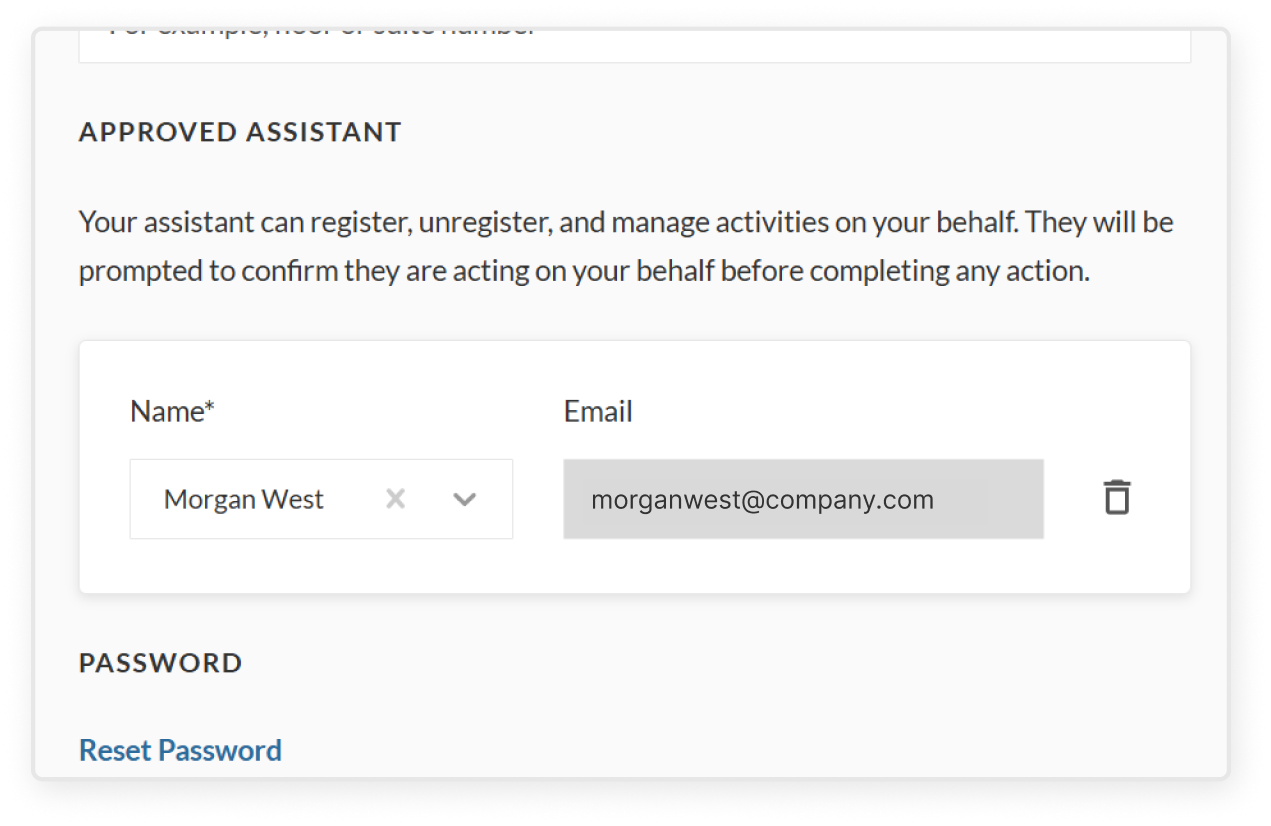
Once you are added as an approved assistant by an executive, you will always be able to take certain actions on either your behalf or theirs (or both)
The key actions are:
Registering for events
Completing calls to action
Subscribing to communities
If you need to do something else on behalf of an executive, please reach out to support@mindrglobal.com
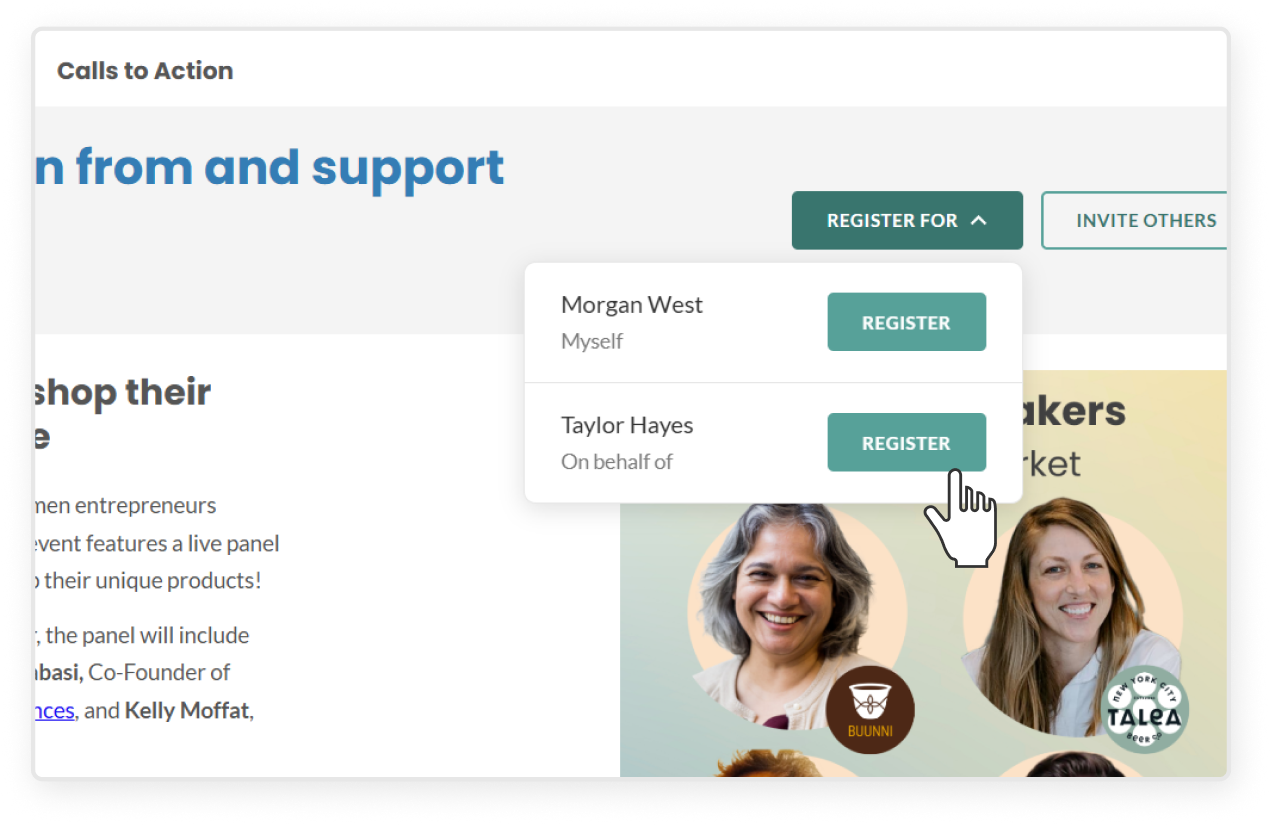
Register for events
The regular Register button is replaced by a Register for button that lets you choose whether you are registering on behalf of yourself or the executive
If you register for the executive, they will receive any confirmation emails and calendar invites
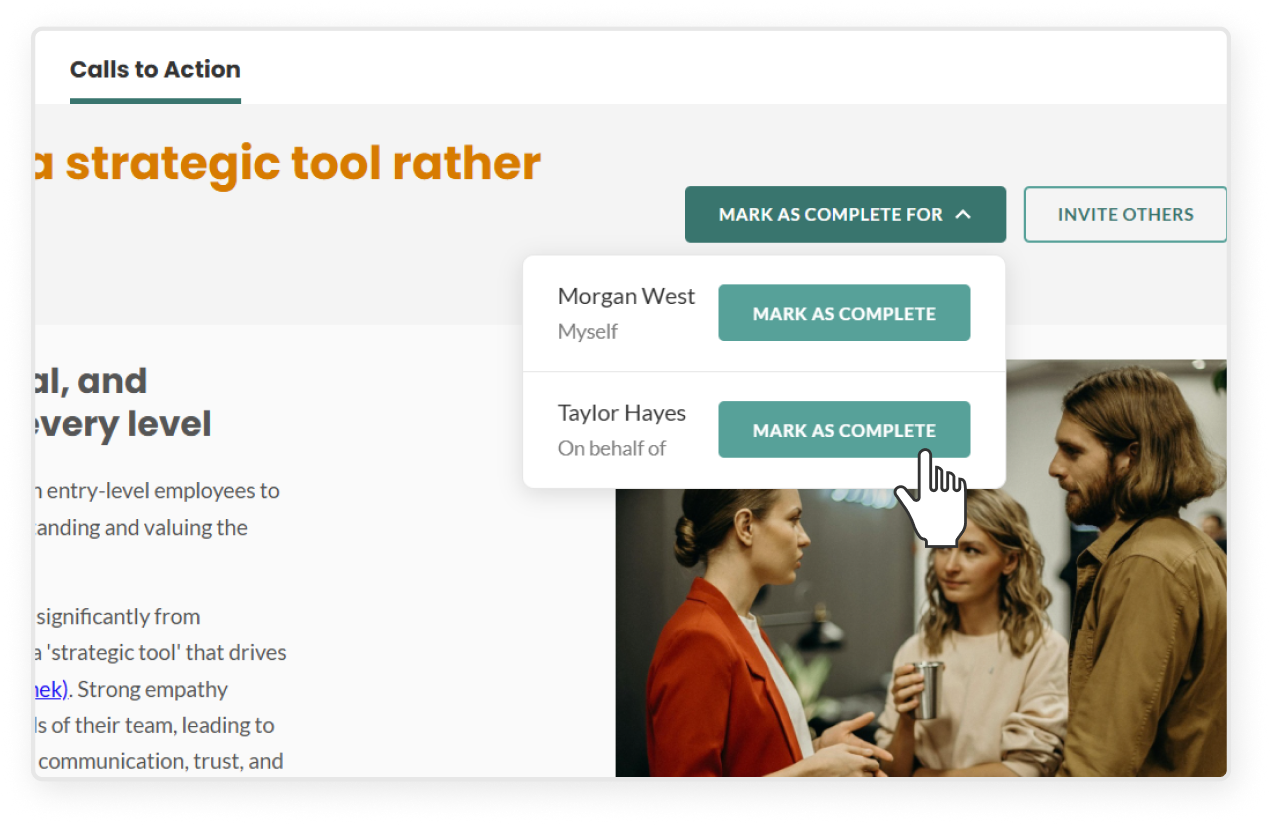
Complete calls to action
The regular Mark as Complete button is replaced by a Mark as Complete for button that lets you choose whether you are completing the call to action on behalf of yourself or the executive
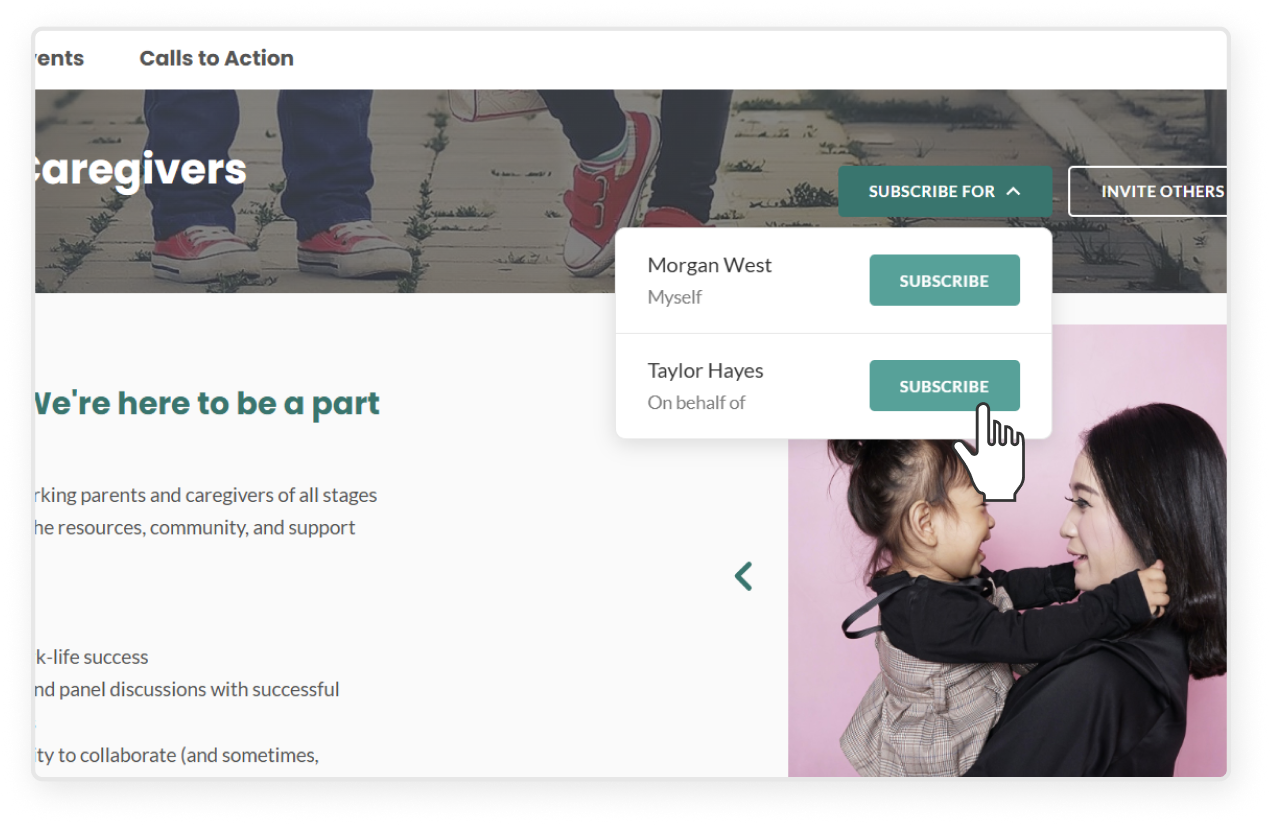
Subscribe to communities
The regular Subscribe button is replaced by a Subscribe for button that lets you choose whether you are subscribing on behalf of yourself or the executive
Engage with cohorts
If the executive is part of a private cohort, you will be able to see that cohort’s content
Please be aware that cohort content is intended only for a specific audience and not for consumption and engage with it accordingly
If you are also in the cohort, you will be able to take actions on behalf of either yourself or the executive within the cohort
If you are not in the cohort, you will only be able to take actions on behalf of the executive within the cohort